GitHub Teams
Spinnaker supports using GitHub teams for authorization. Roles from GitHub are mapped to the Teams under a specific GitHub organization.
GitHub App Authentication (Recommended)
GitHub App authentication, available in releases after 2025.4.0, is the preferred method for connecting Spinnaker to GitHub. It offers significant advantages over Personal Access Tokens (PATs):
- Higher Rate Limits: GitHub Apps have a rate limit of 15,000 requests per hour (vs 5,000 for PATs).
- Enhanced Security: Uses short-lived tokens that are automatically refreshed, rather than long-lived static tokens.
- Granular Permissions: Apps can be scoped to specific permissions.
Prerequisites
- You have GitHub organization admin permissions to create and install the app.
1. Create a GitHub App
- Navigate to your GitHub Organization Settings > Developer settings > GitHub Apps.
- Click New GitHub App.
- Set the following fields:
- GitHub App Name: e.g.,
spinnaker-fiat-auth. - Homepage URL: Your Spinnaker URL (or placeholder).
- Callback URL: Your Spinnaker URL (or placeholder).
- Webhook: Uncheck “Active” (not needed for authorization).
- GitHub App Name: e.g.,
- Permissions:
- Organization Permissions > Members: Read-only
- Click Create GitHub App.
- Note the App ID.
- Generate a Private key and save the
.pemfile. - Install App: Go to “Install App” in the sidebar and install it on your organization. Note the Installation ID from the URL (e.g.,
https://github.com/organizations/my-org/settings/installations/12345678->12345678).- Install at the organization level (not per-repo) so team membership lookups work for all repos.
- GitHub App installation tokens are short-lived (1 hour) and Fiat caches them in memory with an early refresh buffer. They are never written to disk.
- PATs configured with
--accessTokenare stored in Fiat configuration; rotate them periodically and handle them like any other long-lived secret.
Personal Access Token (Legacy)
If you cannot use a GitHub App, you can still use a Personal Access Token (PAT). Note that this has lower rate limits.
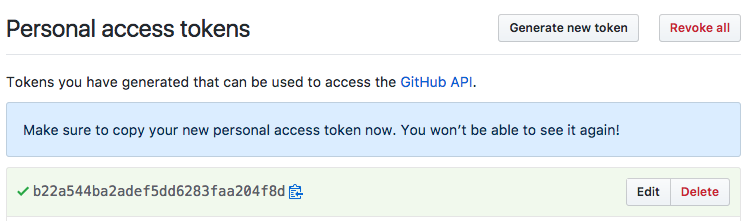
- Under an administrator’s account, generate a new Personal Access Token from https://github.com/settings/tokens .
- Give it a descriptive name such as “spinnaker-fiat.”
- Select the
read:orgscope. - Click “Generate Token”
Configure Fiat
Add the following configuration to fiat-local.yml to have fiat load group membership from github:
auth:
  group-membership:
    service: github
    github:
      ## When to refresh group info
      membershipCacheTTLSeconds: 600
      ## 1000 github teams
      membershipCacheTeamsSize: 1000
      ## Defaults to 100
      paginationValue: 100
      ## AUTO == Pick based upon what config is set and defaulting to GH Apps as first priority
      authMethod: AUTO
      baseUrl: https://api.github.com/
      organization: my-org
      ## When using a PAT:
      accessToken: PAT
      ## When using a GH App
      appId: 12345
      installationId: 67894
      privateKeyPath: encryptedFile:orVolumePath
The authMethod property controls which authentication method Spinnaker uses:
AUTO(Default): Automatically prefers GitHub App ifapp-id,installation-id, andprivate-key-pathare configured. Falls back to PAT if App credentials are missing.GITHUB_APP: Forces GitHub App authentication. The configuration fails if App credentials are not provided or invalid.PAT: Forces Personal Access Token authentication. The configuration fails ifaccess-tokenis not provided.